
AVEVA™ HMI & SCADA Software for Industrial Computing
Maple Systems partners with AVEVA™ to provide powerful HMI and SCADA software solutions for industrial automation, process monitoring, and data visualization. AVEVA™ Edge delivers flexible HMI, SCADA, and edge computing capabilities for machine-level and distributed applications, while AVEVA™ InTouch HMI provides advanced visualization, monitoring, and control for larger and more demanding automation systems.
Both platforms can run on our Industrial Panel PCs, Box PCs, and Rugged Tablets, providing a reliable computing platform for connecting operators with real-time equipment and process data from the plant floor to remote and mobile applications.
AVEVA™ Edge – SCADA Software
Best for distributed, machine-level, and edge applications.
Perfect for Maple Systems Industrial PCs, Box PCs, and Rugged Tablets, award-winning AVEVA™ Edge is an innovative SCADA-Ready software enabling the creation of custom industrial control applications for any industry. With easy-to-use commands/tool bars and a Microsoft Windows environment.
AVEVA™ Edge’s feature-rich applications put you in the driver’s seat of creating your industrial process. With unlimited number of communications drivers; tags from 1,500 to 64,000; support for SCADA, Embedded HMI, and IoT View on Windows 10 & 11/ Pro and IoT and Linux applications. AVEVA™ Edge’s offers you a powerful software solution with the flexibility you desire.
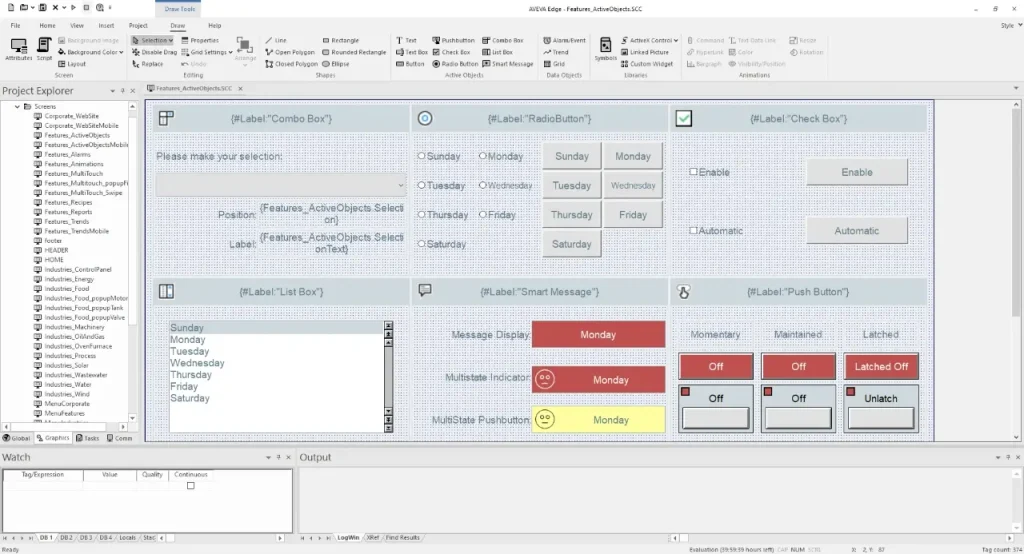
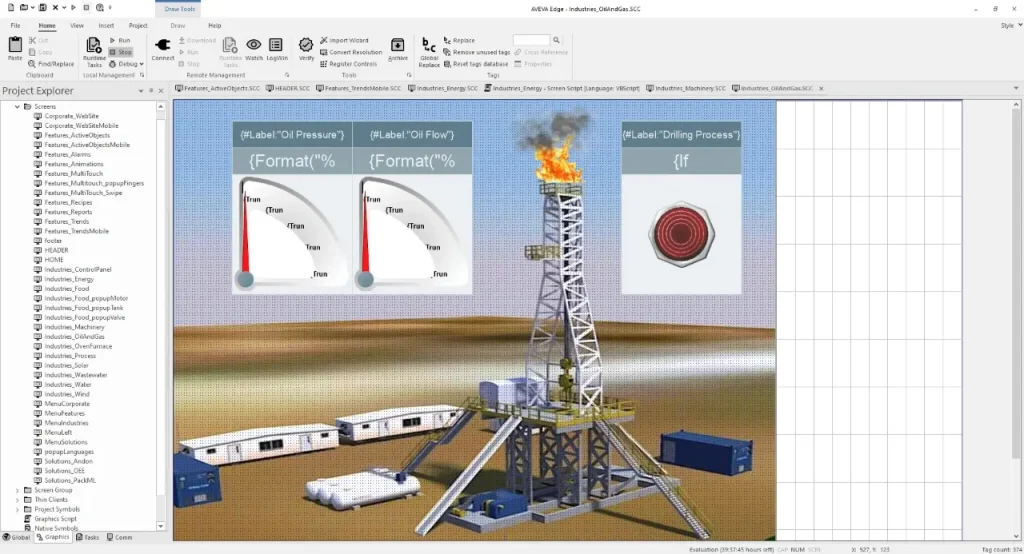
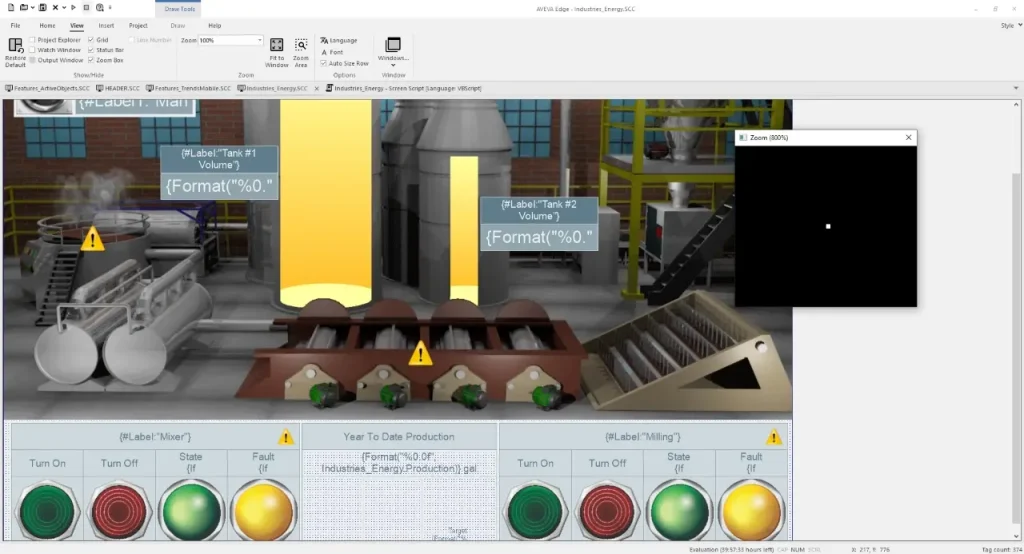
Key Features of AVEVA™ Edge
- Advanced HMI Visualization
- Real-Time Monitoring & Control
- Industrial Connectivity
- Alarm & Event Management
- Trends & Historical Dta
- HTML5 Web Access
- SCADA & Edge Computing
- Flexible Runtime Options
- OPCUA Connectivity
- Database Connectivity
- IIoT & Cloud Connectivity
- Cross-Platform Development
AVEVA™ InTouch HMI – Advanced SCADA Software
Best for plant-wide and enterprise SCADA applications.
Ideal for Maple Systems Industrial PCs, Box PCs, and Rugged Tablets, AVEVA™ InTouch HMI is a powerful industrial visualization and SCADA software platform for monitoring, controlling, and optimizing industrial processes. With advanced graphics, real-time data visualization, alarms, trends, scripting, and extensive industrial connectivity.
AVEVA™ InTouch HMI provides operators with the information they need to make informed decisions. Supporting applications from machine monitoring and plant wide supervisory control AVEVA™ Intouch delivers a flexible, scalable HMI solution for modern industrial automation
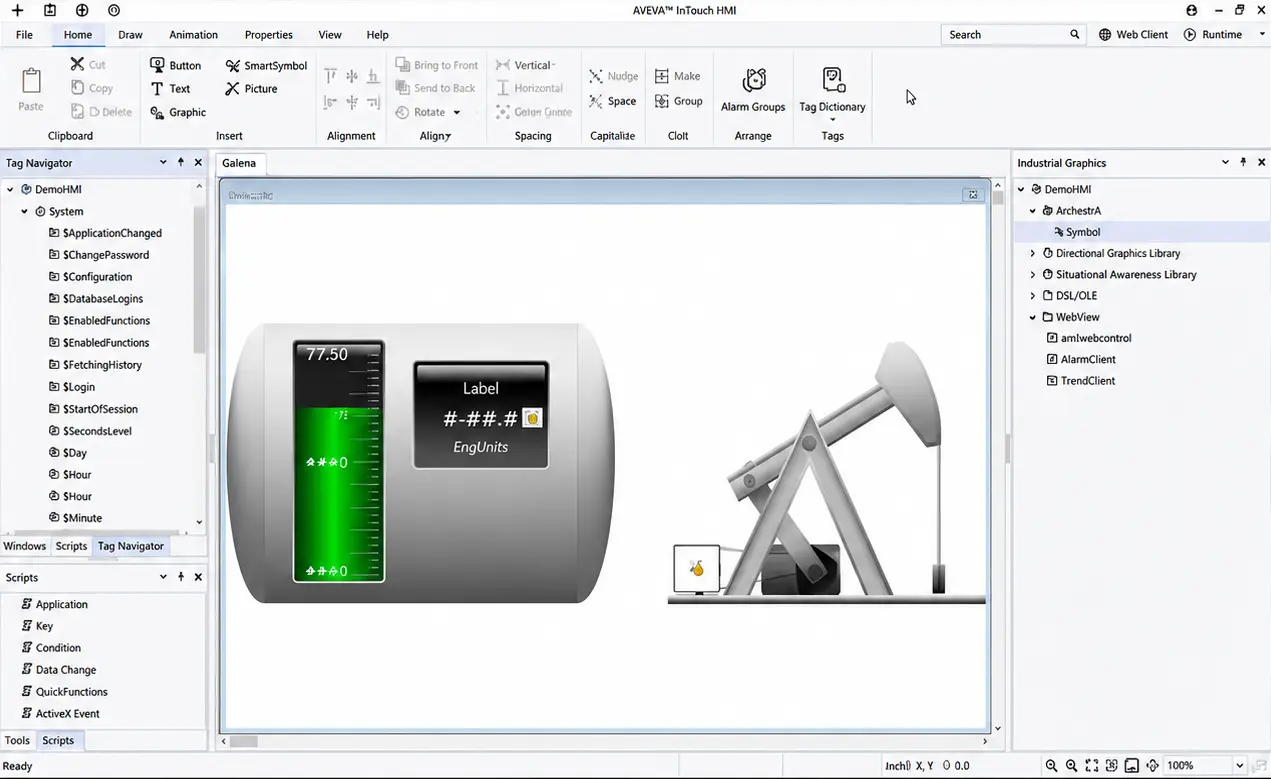
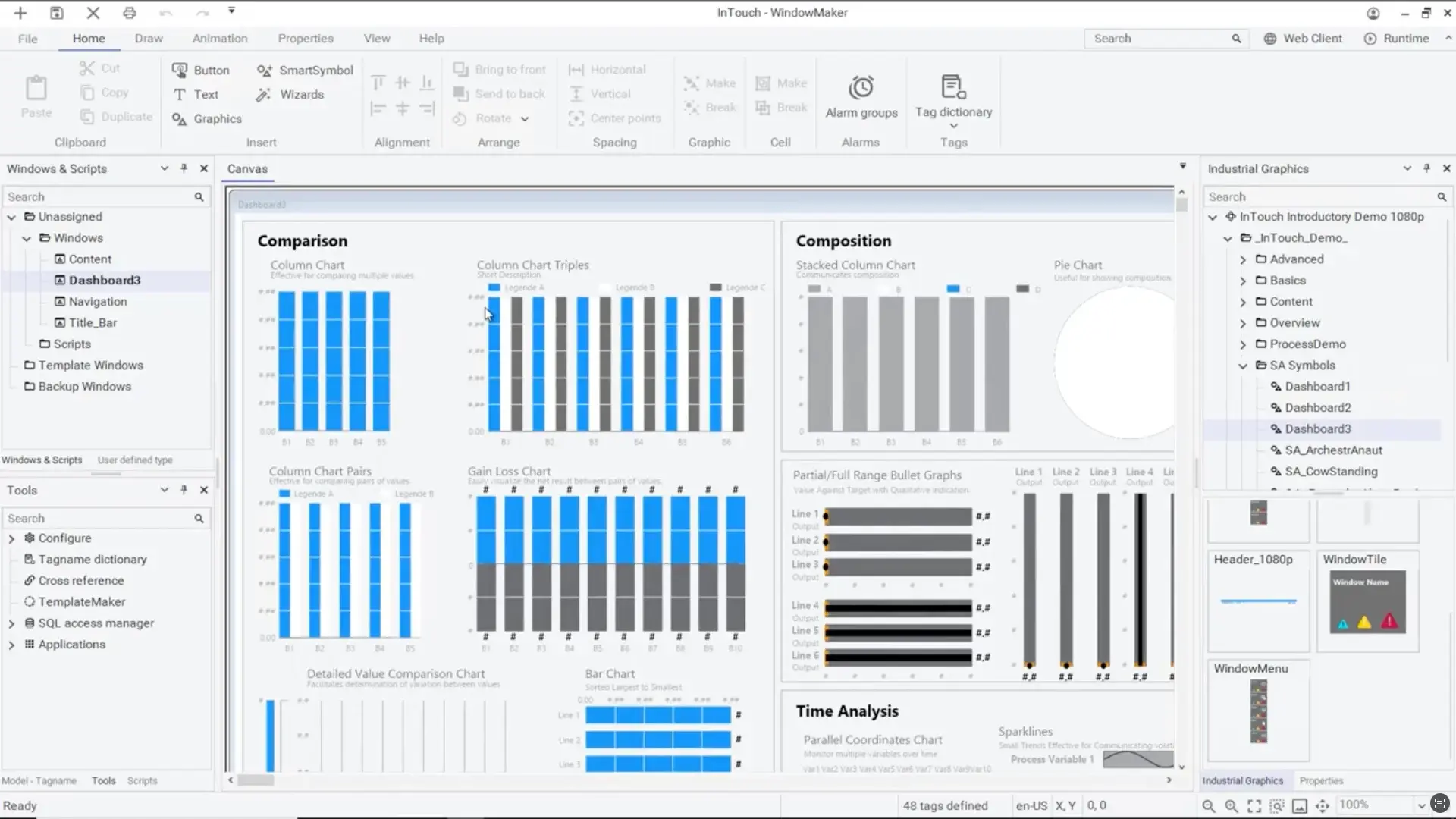
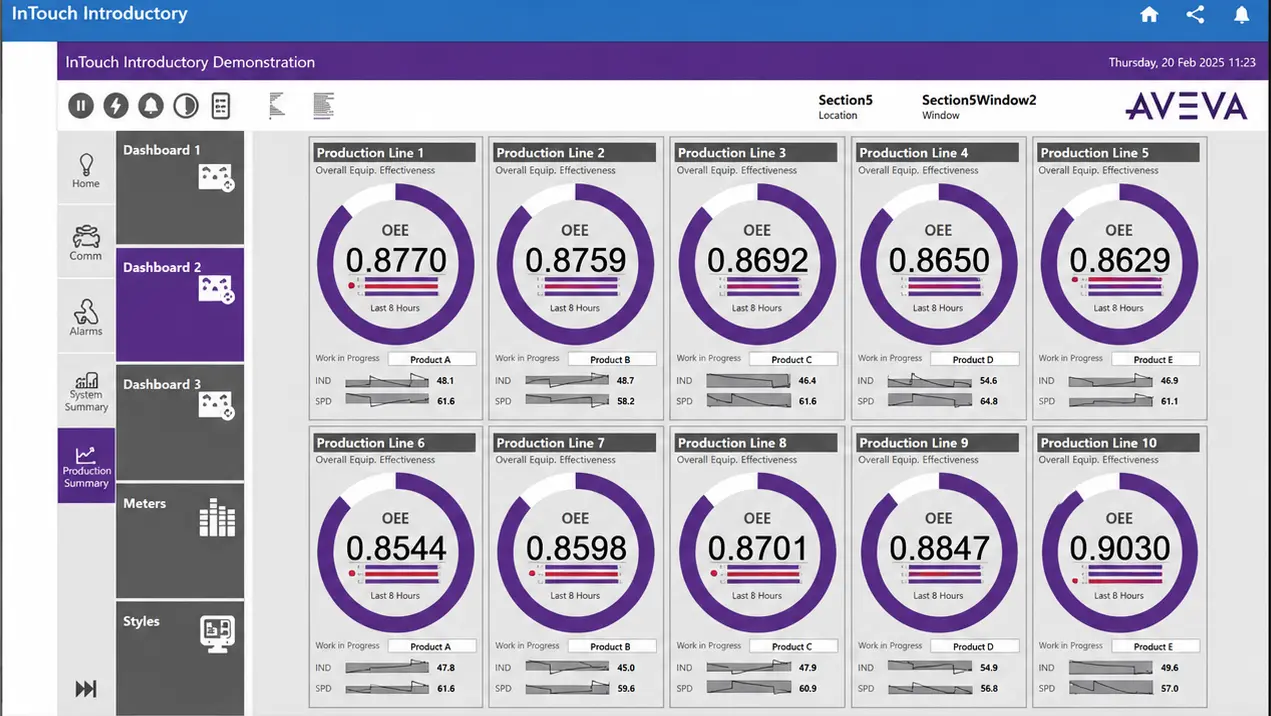
Key Features of AVEVA™ InTouch HMI
- Advanced HMI Visualization
- Real-Time Monitoring & Control
- Industrial Connectivity
- Alarm & Event Management
- Trends & Historical Data
- Web & Mobile Access
- Industrial Graphics Library
- User-Defined Types (UDTs)
- OPC UA Integration
- Application Templates
- Advanced Scripting
- SVG Graphics Support
Which AVEVA SCADA Platform to Choose
Choosing the right AVEVA SCADA platform starts with where it will run, then the scale of the system, and the level of monitoring and control you need. Use the guide below to compare AVEVA Edge and AVEVA InTouch HMI and match each platform to your application. If you already know which platform you need, explore it above.
| Choose AVEVA Edge when… | Choose AVEVA InTouch HMI when… |
|---|---|
| You need edge-level SCADA close to machines and equipment | You need plant-wide or enterprise-level SCADA |
| The application runs on an industrial PC, panel PC, or an embedded system | The application runs on a centralized workstation or server |
| You want a compact, lightweight SCADA solution | You need large-scale visualization and supervisory control |
| You’re monitoring individual machines, production cells, or remote assets | You’re monitoring entire plants, facilities, or complex processes |
| You need to deploy SCADA across multiple distributed locations | You need centralized visualization and management |
| Space, hardware resources, or deployment costs are important considerations | Scalability, advanced visualization, and enterprise integration are priorities |
| You need local control and visualization at the edge | You need a central operator interface for large systems |
Not sure which AVEVA platform fits your application?
Contact our team and we’ll help you choose the right AVEVA solution for your system, deployment, and control requirements.