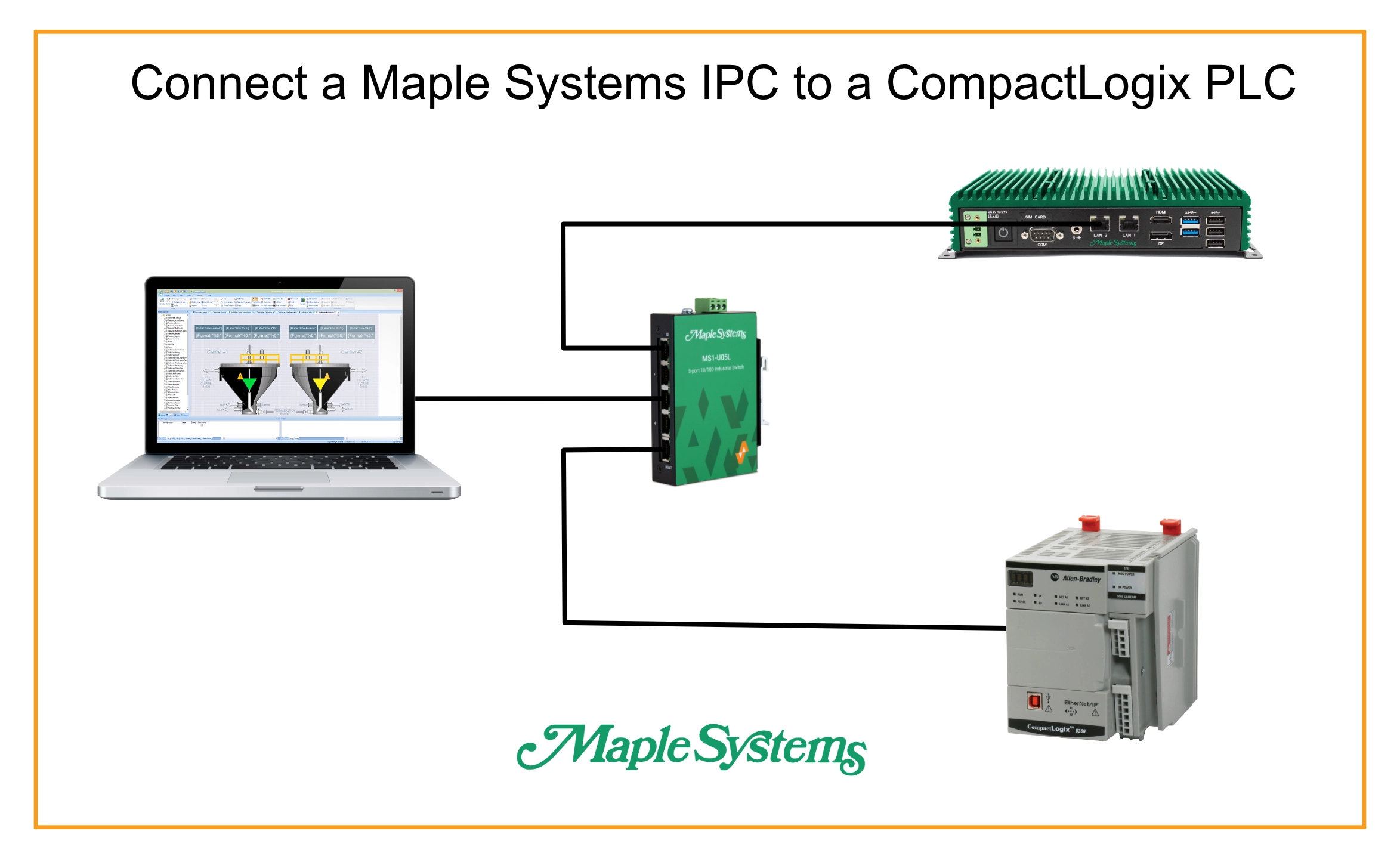
Imagine you’re responsible for a machine on your plant floor that’s controlled by an Allen Bradley PLC. While you’re happy with how the machine is programmed, you need an HMI for the machine. Naturally, you’d start by reaching for Rockwell’s PanelView terminals. However, these devices have costs that are hard to justify for the screen real estate you’d get out of them.
What if you could run your FactoryTalk ME project on a larger, more powerful HMI instead? This is where Maple Systems line of industrial PCs comes in. Maple Systems IPCs offer more performant processing power, more screen real-estate, and all of the flexibility that comes with a full windows PC, without having to leave the Rockwell ecosystem entirely.
Software Required
Hardware Required
Installing and Configuring FactoryTalk Machine Edition
Installing and activating FactoryTalk Machine Edition
First, we’ll walk through installing and activating our FactoryTalk ME runtime
Instructions: Installing and activating FactoryTalk Machine Edition
Download the installer
We’ll first need to download the installer from Rockwell Automation’s website. we’ll navigate to the “Compatibility & Downloads” section of the site to do so.

Run the Installation Wizard
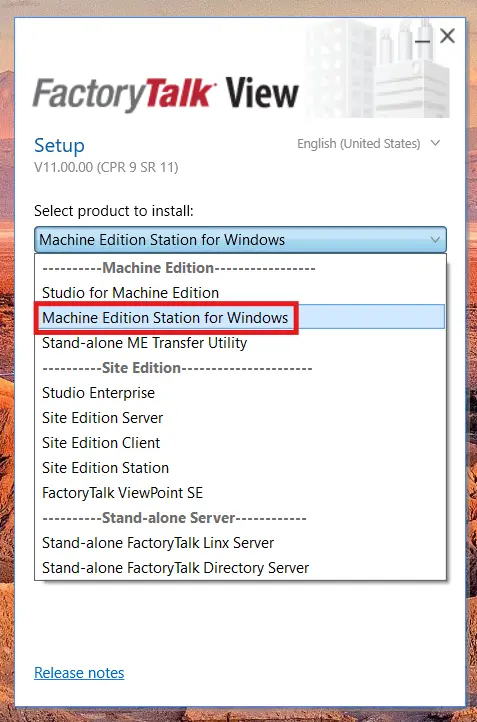
we’ll then go into the installer and run “Setup.exe”, give it admin credentials, and choose to install “Machine Edition Station for Windows”.
Activate the Product
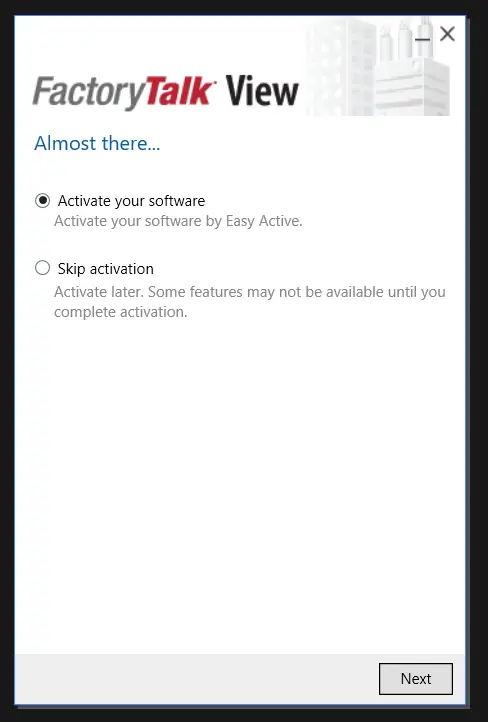
Once FactoryTalk Station is installed, the install wizard will ask to activate your product. This would be where you’d enter your activation credentials and keys.
Transferring and Running a FactoryTalk Application
Now we’ll run our FactoryTalk studio application on our runtime machine
Instructions: Transferring and Running a FactoryTalk Application
Develop/Prepare our FactoryTalk panel Application
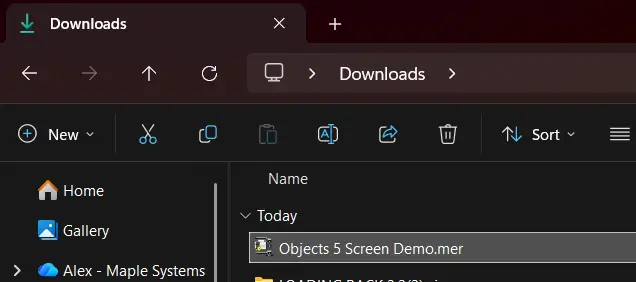
This guide won’t cover how to develop an application for running on FactoryTalk ME Station, but we’ll want to make sure to compile our application to a .mer file.
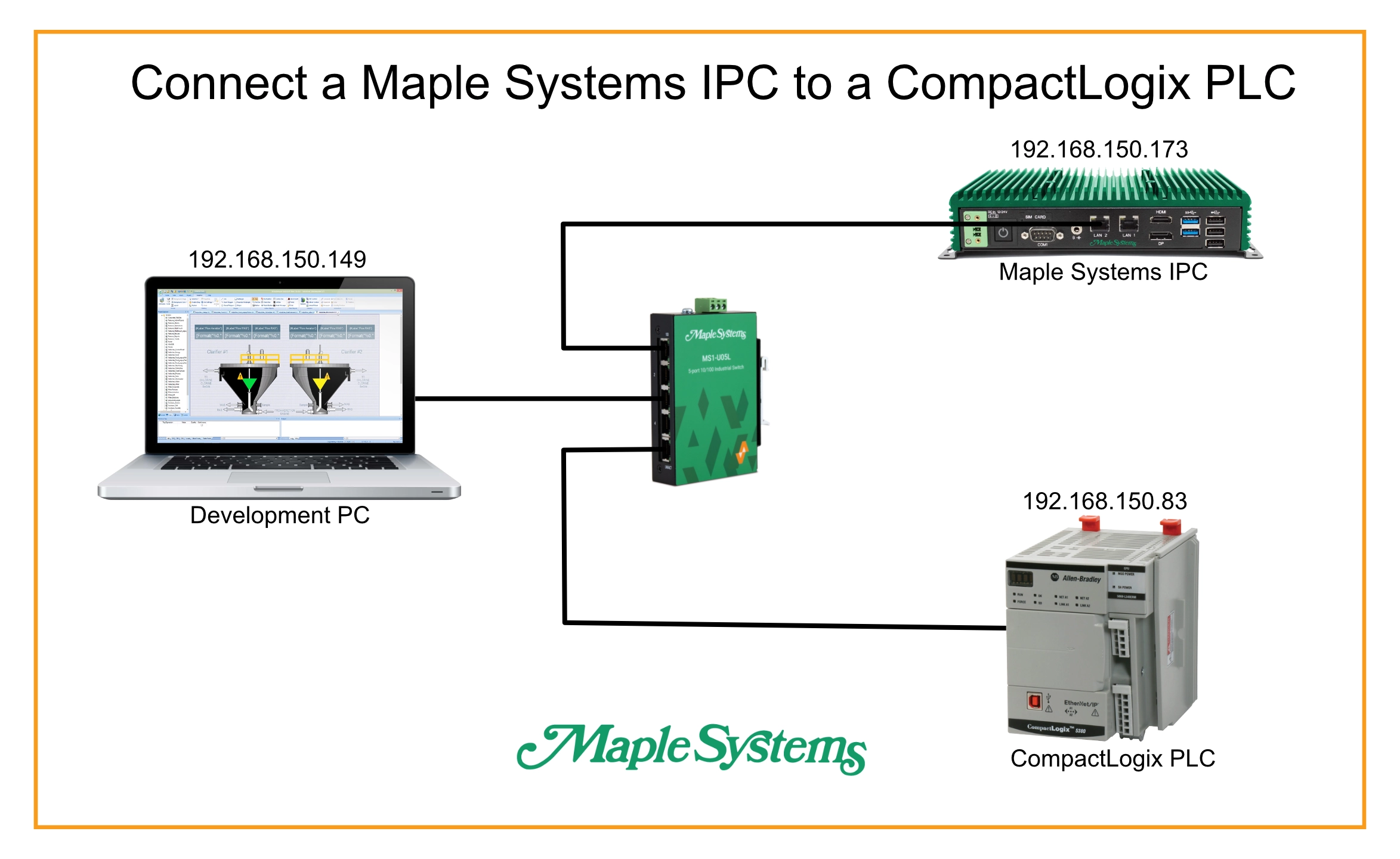
Double Check the Network Configuration
We’ll want to make sure that we have our Network configured properly, and set our IP addresses
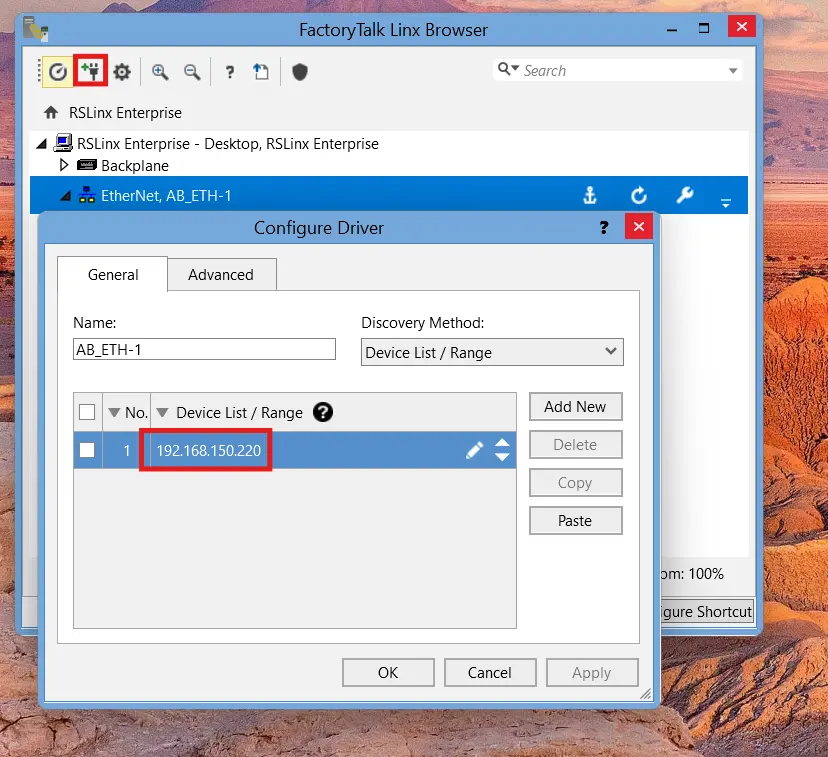
Configure FactoryTalk Linx
Next, we’ll open FactoryTalk Linx Browser (which is installed alongside FactoryTalk ME), and we’ll add a new driver for our PLC.
Verify the PLC is Visible and the Same as in the Project
If we expand the EtherNet/IP driver we just configured in FactoryTalk Linx, we want to confirm that the PLC is visible and connected. We also want to confirm that the IP address of our PLC, and our device shortcut in the application is the same as what we’re seeing in FactoryTalk Linx.
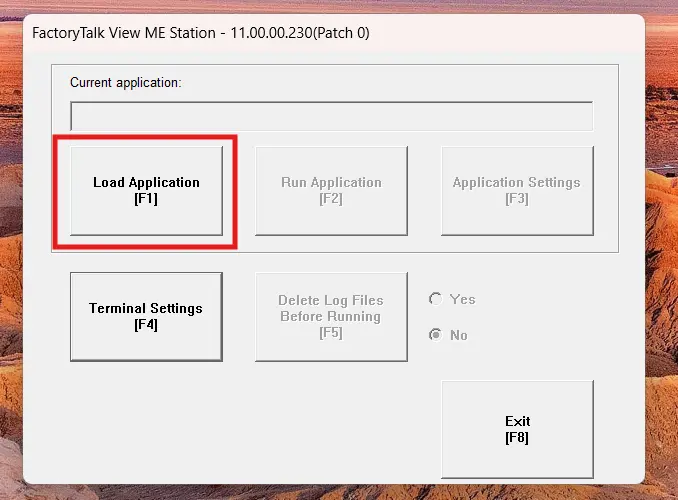
Load the Application
Now we’ll open FactoryTalk View ME Station, and load the application we’ve transferred to our runtime machine.
Run the Application
From here, we’ll run our application via the “Run Application” button. If all goes well, your IPC should connect to and update with your PLC.
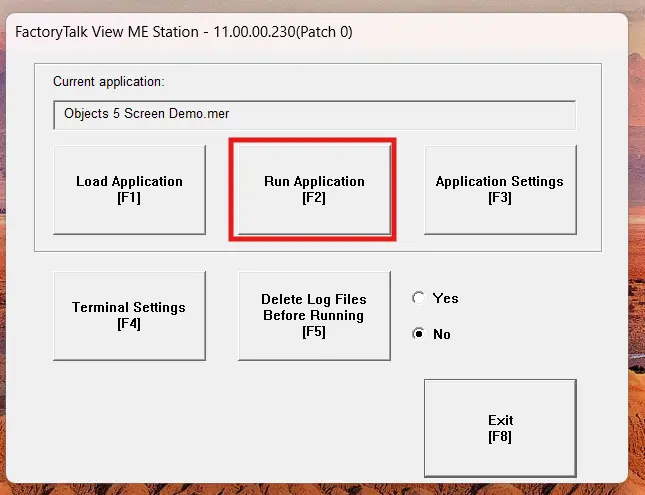
From here, we’ll be able to use our IPC as an HMI panel for our FactoryTalk application.
Final Thoughts
If we return to our hypothetical situation above, we can confidently add Maple System’s IPCs to our options of HMI for our machine. A Maple systems IPC not only allows us to build and display our FactoryTalk Application on a larger display, but also grants us a full Windows environment. This flexibility allows us to generate reports, aggregate data, send data up to a larger SCADA server, and do basically anything else you’d be able to do on a Windows device, all in the same place as your full HMI.
As far as the IPC itself, we can use a Maple Systems Panel PC as our all-in-one machine for an isolated and single HMI for our machine. Or we can use a Maple Systems Box PC to connect our HMI project to various different monitor displays and even Web HMIs (with some [additional configuration]). In other words, the plant manager from our opening scenario no longer has to choose between costs, performance, and screen size.
Resources & Documentation
The following guides and documentation are specific to the hardware used in this integration tutorial and will help you with setup, configuration, and programming:
Looking for additional learning resources? Explore our library of tutorials, example projects, and software tools to help you get the most out of your system:
Also, browse our Support Center for a complete list of installation guides, FAQs, and additional technical documentation.

About the Author
Trusted source for industrial automation & control solutions
Follow Maple Systems:
Share: