
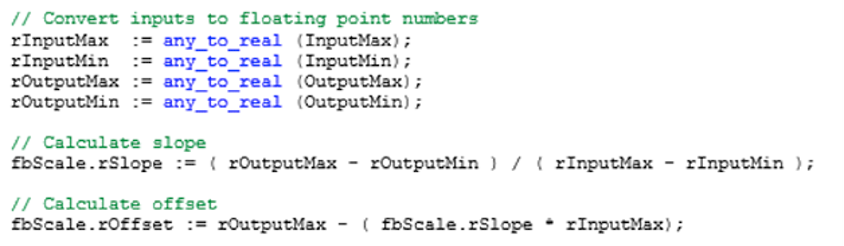
The Structured Text editor is a text-based editor similar to text-based programming languages such as C/C++ or Visual Basic. Logical operations are created by combining variable names with operators to create logical statements.
The PLC executes the statements from top to bottom as the program is executed. The Structured Text editor provides a great deal of flexibility to the programmer.
Software Downloads & Upgrades
Manuals & Guides
- HMC Series Installation Guide
- MAPware-7000 Programming Manual
- Mapware-7000 Getting Started Guide
- HMC3000 I/O Module Guide
- HMC7000 I/O Module Guide
- MAPware-7000 IEC61131 Programming Guide
- MLC Series PLC Programming Manual & Installation Guide
- MLC I/O Module Guide
Videos
- Product Overview
- Part 1: Introduction and Installation
- Part 2: Creating a Native Ladder Project
- Part 3: Adding and Initializing Tags
- Part 4: Adding Logic
- Part 5: Creating an HMI Screen
- Part 6: Duplicationg an HMI Screen
- Part 7: Downloading and Testing the Project
- Part 8: Creating an IEC Project
- Part 9: Creating a UDFB
- Part 10: Adding a Structure Text UDFB
- Part 11: Adding Power Up and Main Routine Logic
- Part 12: Creating Screen Objects
- Part 13: Downloading the Project and Online Monitoring
Sample Projects