
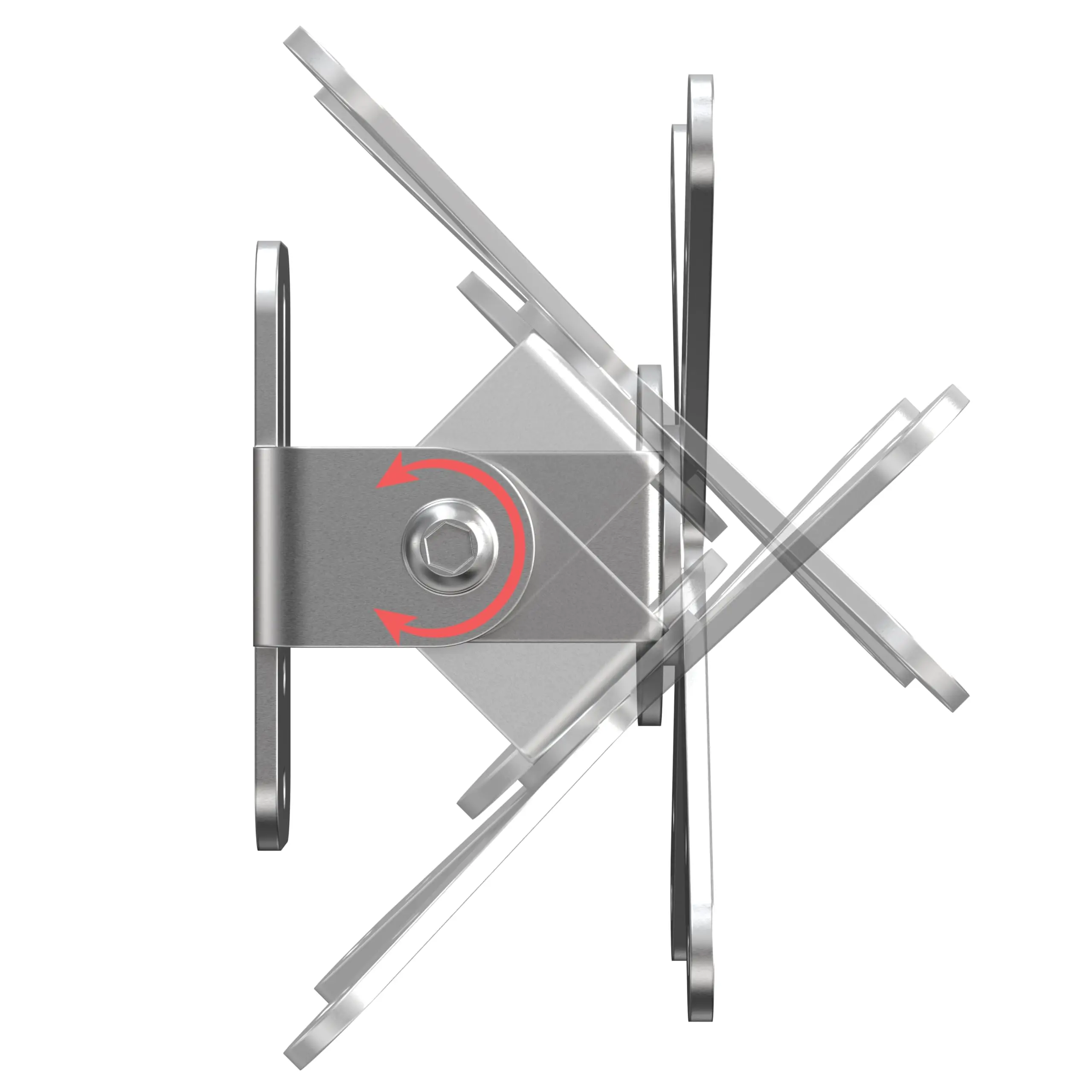
When space is tight and flexibility is key, mounting options can make or break your setup. That’s where the VESA-100 standard comes in. The VESA-100 standard provides a consistent, mechanical interface that allows any sort of display device, such as a panel PC, an HMI, or a simple monitor to be mounted safely, securely, and anywhere you need.
What is VESA?
VESA stands for the Video Electronics Standards Association, an association responsible for developing display interface standards. The VESA mounting standard defines a square hold pattern on the rear of a device that provides a secure mounting point. If your display has VESA mounting holes, you can pair it with any VESA-compliant mount. No guesswork, no custom brackets. VESA-standard mounting comes in a variety of sizes.
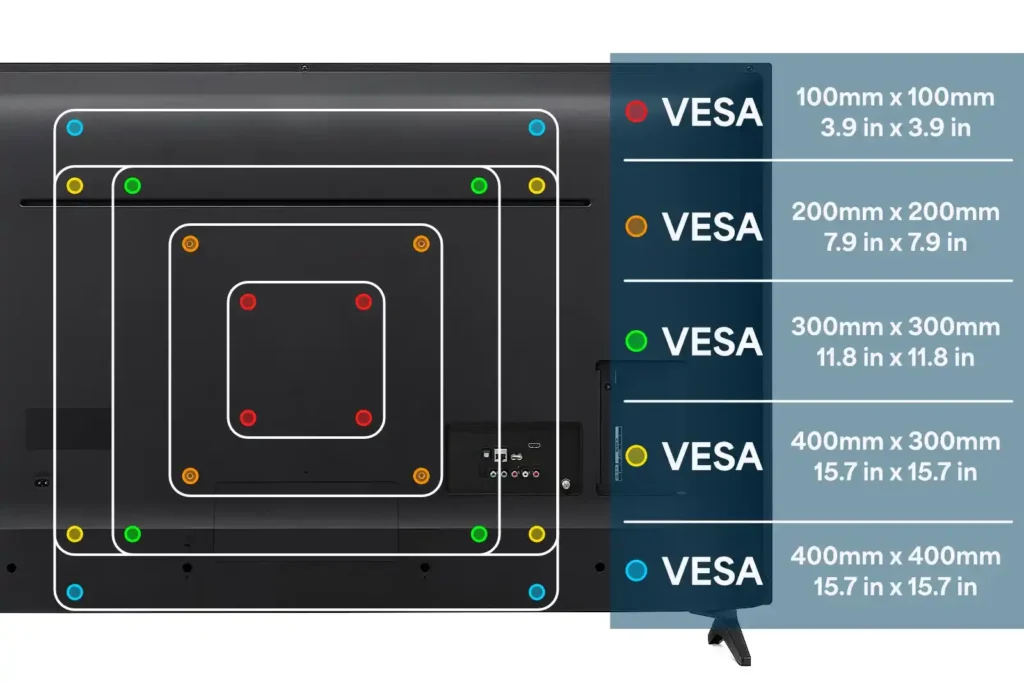
The number in each VESA standard simply specifies how many millimeters of space there is between the mounting screw holes. Maple Systems products usually range between VESA-75 and VESA-100 mount sizes, which means Maple Systems products have between 75mm and 100mm between their VESA mounting holes.
Why It’s Important
In industrial automation environments, every component from control panels to panel PC or industrial display must be mounted securely to withstand vibration, temperature fluctuations, and continuous operation. A poorly mounted display can lead to downtime, safety hazards, and costly repairs. That is why VESA mounting standards have become a cornerstone for reliable integration.
- Space Optimization for Tight Workstations: VESA mounts allow panel PCs and industrial displays to fit into constrained areas without sacrificing accessibility. This is critical in crowded control rooms or production lines.
- Safety and Ergonomics in Harsh Conditions: Adjustable VESA mounts enable precise positioning, reducing operator strain and improving visibility in high-use environments. This minimizes risks of accidental drops or vibration-related damage.
- Faster Maintenance and Scalability: Standardized mounting patterns simplify equipment swaps and upgrades, reducing downtime and ensuring compliance with evolving automation requirements.
In short, VESA mounting is not just about convenience. It is about operational efficiency, safety, and long-term reliability in demanding industrial settings.
Before You Choose a Mount
Selecting the right VESA mount for an industrial application is not as simple as picking a bracket. Industrial environments introduce unique challenges, such as vibration, temperature extremes, and space constraints. Thus, it requires careful consideration.
- Hole Pattern Compatibility: Confirm the VESA pattern (e.g., 100mm vs. 75mm) matches your panel PC or display.
- Load Rating vs. Device Weight: Ensure the mount can handle the weight of your industrial display under dynamic conditions.
- Screw Type and Thread Depth: Incorrect hardware can compromise stability and safety.
- Access to Rear I/O Ports: Avoid blocking critical connections for sensors, PLCs, or network interfaces.
- Environmental Factors: Consider vibration, temperature, and moisture exposure to prevent premature wear or failure.
By verifying these factors upfront, you will ensure a secure, compliant installation that supports long-term performance in industrial automation environments. Most industrial panel PCs, including the Waterproof Panel PC Series from Maple Systems, support the VESA-100 standard, which enables straightforward integration into existing infrastructure.
Bottom Line
VESA-100 mounting gives you flexibility, security, and peace of mind. Whether you’re integrating into existing equipment or setting up a new workstation, this universal standard makes it easy to create a clean, efficient, and ergonomic environment.

About the Author
Trusted source for industrial automation & control solutions
Follow Maple Systems:
Share: