
Heavy Duty Intel® Dual to 20 Core Industrial Computer
$2,300.00
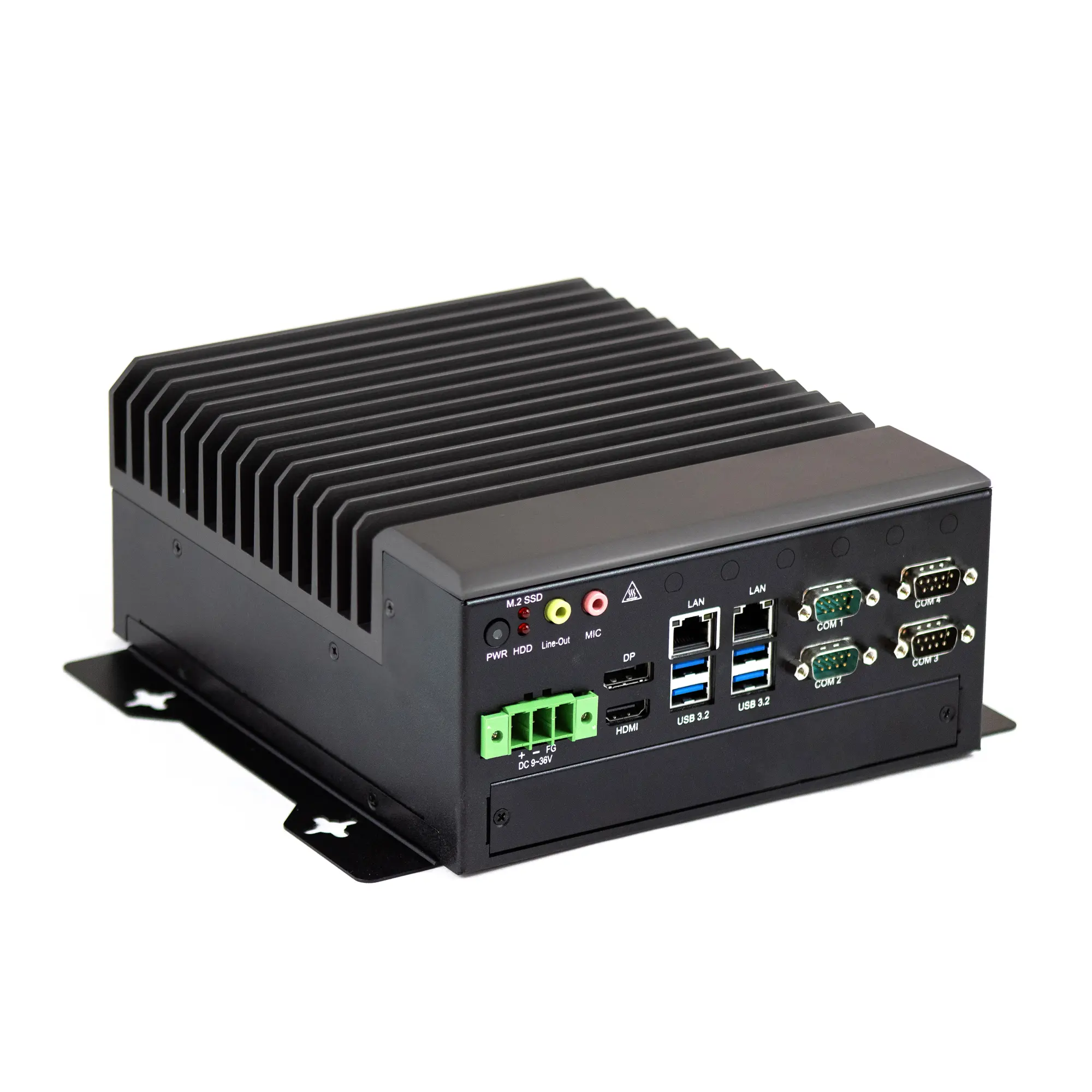
The rugged, heavy duty IPC2360A industrial computer, powered by Intel® Quad, Deca, or 20 Core™ processors, with flexible expansion capabilities, up to 64 GB RAM, extended operating temperature of -4° – 122°F, and support for 4K Ultra High Definition displays, is designed for applications such as machine vision, automated optical inspection, automation control, measurement, robotic monitoring/control, IIoT and edge computing. With a Windows® or Linux® Operating System, this IPC supports 3rd party SCADA software like AVEVA® Edge, or others like SIMATIC WinCC, Ignition, & FactoryTalk®.
- Compare IPC2360 with similar models
- Pair with one of our Industrial Monitors
- Volume discounts available.
- Customize product with your company logo. Minimum quantities apply.
- Typically ships in 2 days.
- US-based technical support.
Share the product:
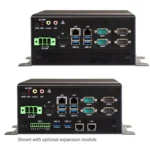
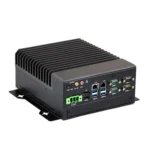
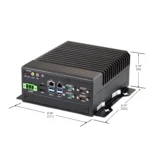
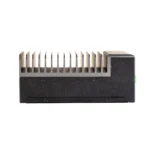
- Intel® Quad, Deca, or 20 Core – 14th Gen. i-Core™ Processors
- Quad-Display UHD 4K Resolution Output
- RAID 0 and RAID 1 Support (Contact Sales for details)
- Microsoft Windows® 10 IoT, Windows® 11 IoT, Linux Ubuntu OS
- Optional Wi-Fi Kit with Bluetooth 5.2 support
- Wall Mounting
The base options are selected by default. Select the options to get the desired configuration.
System
| CPU | Intel® Quad Core™ i3-14100T @ 4.4GHz Intel® Deca Core™ i5-14400T @ 4.5GHz Intel® Icosa (20) Core™ i7-14700T @ 5.2GHz (Supports vPro) |
| Memory (RAM) | 2 x DDR5 262-pin SO-DIMM RAM (8, 16, 32, 64 GB) |
| System Chipset | SoC: Intel® Q670E |
| Solid State Drive Type | NVME |
| Solid State Drive Capacity | 128, 256, 512 GB, 1TB, 2TB SSD |
| CPU Graphics | Intel® HD Graphics |
| TPM Module | Yes (TPM 2.0) |
Storage
| Solid State Drive | 1 x M.2 NVME, 3D TLC (128, 256, 512 GB, 1TB, 2TB SSD) RAID 0 and RAID 1 Options Available** |
| SD Card Slot | N/A |
Front I/O
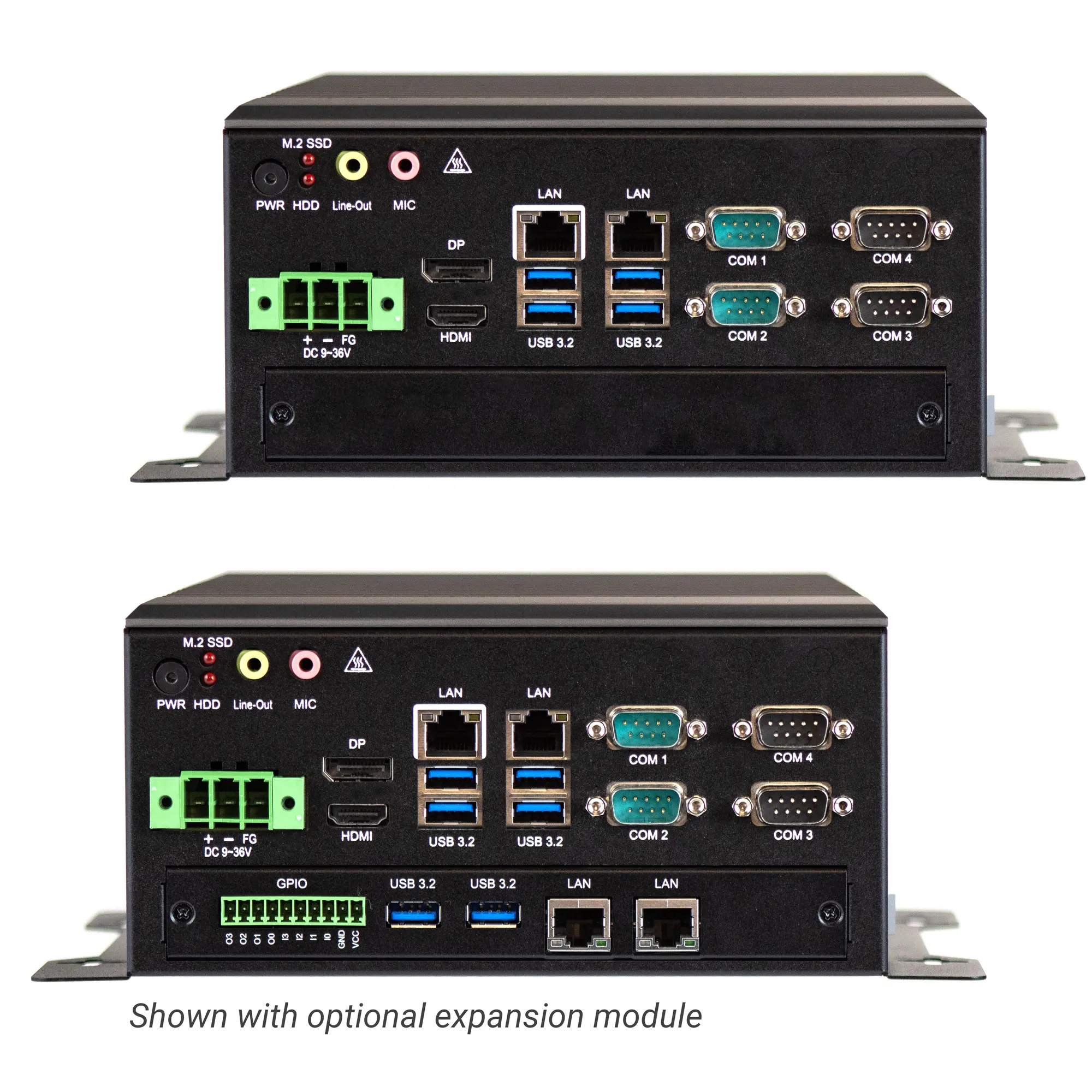
| Wireless LAN | 6x Wireless LAN Antenna ports (covered unless optional Wi-Fi Expansion kit purchased) |
| Ethernet/LAN | LAN 1: 1 x 2.5 GbE RJ-45 (Supports vPro) LAN 2 : 1 x 2.5 GbE RJ-45 |
| Audio Output | 1 x 3.5 mm Mic-in 1 x 3.5 mm Line-out |
| Power | 1 x 3-Pin Terminal Block Connector |
| Power Switch | 1 x Momentary Pushbutton |
| Serial | 4 x RS-232/422/485 DE-9P, COM1, COM2, COM3, COM4 |
| Display Interface | 1 x HDMI® 2.0A port (max. 4096 x 2160 pixels) 1 x DisplayPort 1.4A (max. 7680 x 4320 pixels) |
| USB 3.2 Gen 1 Type A | 4 |
Expansion I/O
| Expansion Option | Optional Wi-Fi kit (IEEE802.11ax card and 2 x antenna, Bluetooth 5.2 Support Optional Expansion with GPIO (4 in/4 out), 2 x USB 3.2 Type A, 2 x GbE RJ45 |
Electrical
| Input Power | 145 W |
| Input Voltage | 9-36 VDC |
| Input Current | 16.15 A~4.03 A |
Mechanical
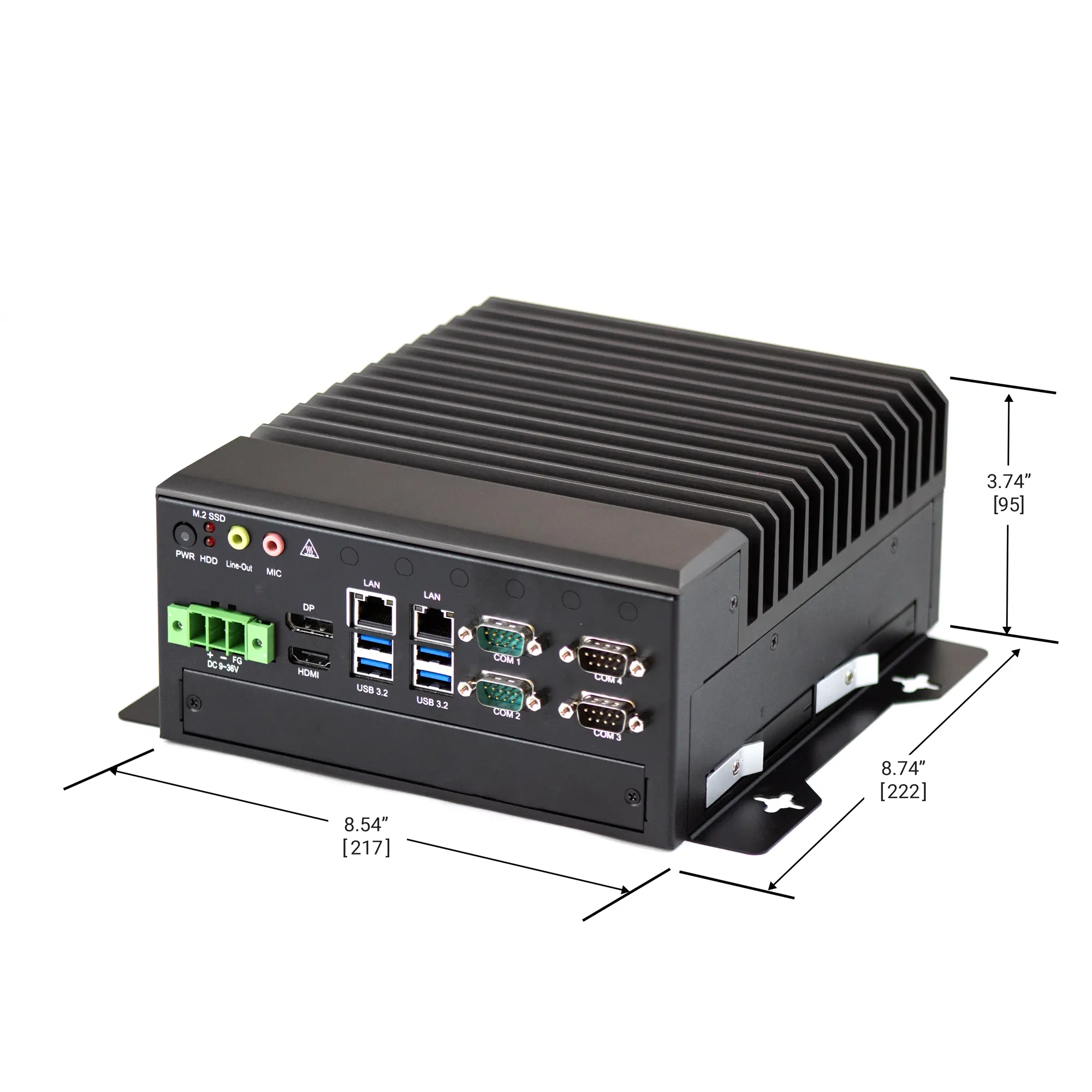
| Dimensions WxHxD | 8.74 x 8.54 x 3.74 inches [222 x 217 x 95 mm] |
| Weight | Approx. 8.60 lbs [3.9 kg] |
| Mounting | Wall Mount Kit Included/VESA Mount Optional |
| Construction | Titanium Gray Aluminum Heat Sink, Black Steel Chassis |
Environmental
| Operating Temperature | -4° ~ 122°F (-20° ~ 50°C) |
| Storage Temperature | -40°F~185°F (-40°C~85°C) |
| Storage Humidity | 10 to 90% @ 40°C, non-condensing |
Certification
| CE | Yes |
| RoHS | Yes |
| FCC | Yes |
- Linux
- Windows
- SCADA – AVEVA
Are Maple Systems Industrial Computers Fanless?
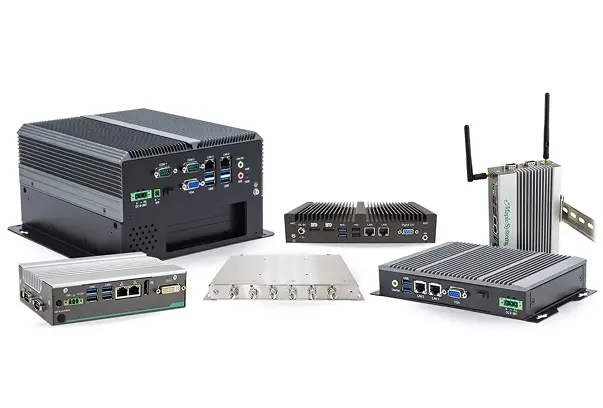
Yes, all our Industrial Panel PC and Embedded Box PC units are fanless design.
Fanless PCs, also known as passively cooled systems, offer benefits like silent operation, enhanced reliability (fewer moving parts, less dust), greater durability (vibration resistance), improved energy efficiency, and suitability for harsh/dusty environments, making them great for quiet spaces, industrial settings, or anywhere you need a low-maintenance, long-lasting computer.
See our What are the benefits of Fanless Industrial PCs FAQ for a deeper dive into the benefits.
What is your standard lead time on Industrial Box PCs?
We have large amounts of inventory and can typically ship with in 2 business days!
Will I need a monitor/display for my Industrial Box PC?
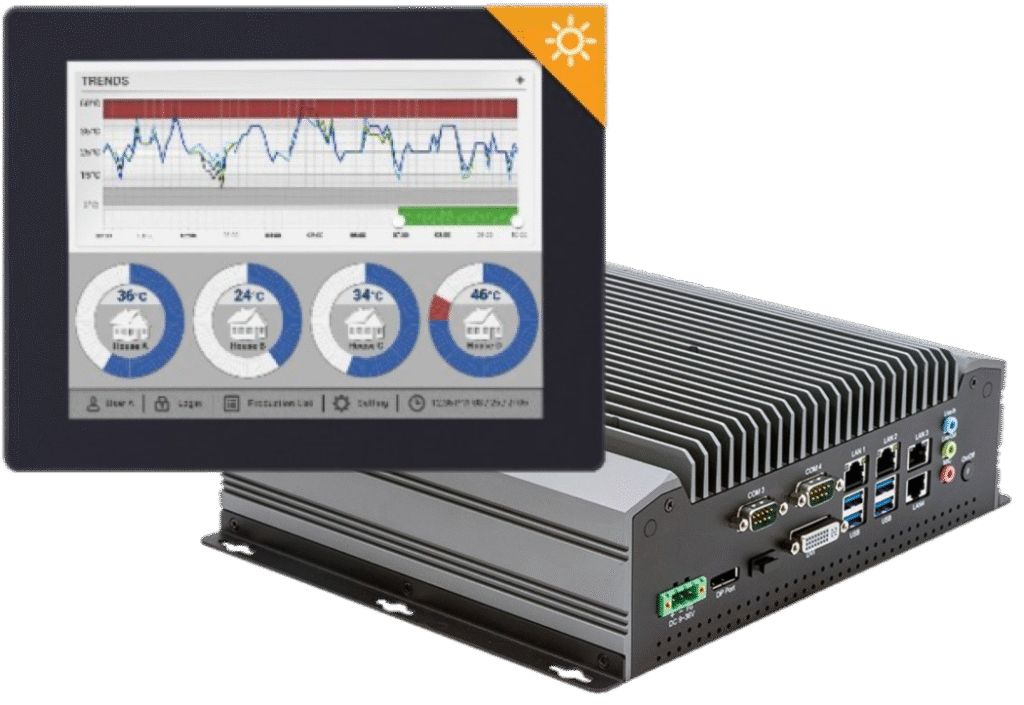
Not all applications require a monitor/display, however it would make it easier if you had a display to see the outputs and interact with the system! Choosing the right monitor for your application can be just as important as selecting the CPU and RAM – after all, a small 7-inch display may not be suitable for a large factory environment, while a 21.5″ high brightness display may not be the right choice for a smaller assembly station, maybe a mobile display is needed? Options like screen size, enclosure material, touch function, brightness, viewing angle and backlight lifetime can all be limiting factors. Check out our full listing of Industrial Monitors, ideal for applications in Healthcare, Education, Finance/Banking, Industrial & Home Automation, Retail, and Transportation.
What are PKEA and ePKEA Product Keys?
When installing or reinstalling the Microsoft® Windows® Operating System to a PC, it must be activated using a Product Key. For Maple Systems products, Product Keys come in one of two forms: PKEA and ePKEA.
PKEA (Product Key Entry Activation) are non-embedded Product Keys purchased by the end-user either individually, or alongside a PC. If purchased with a PC, it will be on a sticker attached to the unit. The end user must manually activate Windows® before use by entering the Product Key into the Activation page while connected to the internet. The Product Key can be re-used on the same PC if Windows® needs to be re-installed.
A PKEA unit will feature a badge that looks something like below:
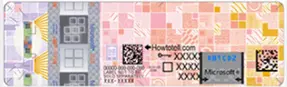
NOTE: The PKEA label on some units may appear with a different color scheme depending on the release of Microsoft® Windows® it is for
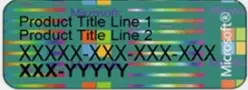
ePKEA (Embedded Product Key Entry Activation) are embedded Product Keys that are only be purchased alongside a PC. The Product Key is embedded in the PC and activated by Maple Systems. If Windows® needs to be reinstalled on the PC, it must come back to Maple Systems for re-activation.
An ePKEA unit will feature a badge that looks something like below:
What is Raid 0?
Also known as Disk Striping, RAID 0 offers the benefit of increased performance. Data is “striped” across multiple disks that work in concert to appear as a single partition.
Data throughput is greatly improved; however, this level of RAID offers no redundancy. If one disk fails, it breaks the entire array and results in data loss.
RAID 0 is usually implemented for caching live streams and other files where speed is important and reliability/data loss is secondary.
- Minimum number of disks: 2
- Pros: Increased performance (Write and read speeds).
- Cons: No redundancy.
- Business use: Live streaming, IPTV, Video on-demand (VOD) Edge Server
What is Raid 1?
RAID 1 writes and reads identical data to pairs of drives. This process is often called data mirroring and it’s a primary function is to provide redundancy.
If any of the disks in the array fails, the system can still access data from the remaining disk(s). Once the faulty disk is replaced with a new one, the data is copied to it from the functioning disk(s) to rebuild the array.
RAID 1 is the easiest way to create failover storage.
- Minimum number of disks: 2
- Pros: Fault tolerance and easy data recovery. Increased read performance.
- Cons: Lower usable capacity. Higher cost per megabyte (double the amounts of drives is required to achieve desired capacity).
- Business use: Standard application servers where data redundancy and availability are important.
Do you have a SCADA software?
We are proud to offer Aveva Edge® a our recommended SCADA software our Industrial Box PC and Panel PCs. Award-winning Aveva Edge® is an innovative SCADA-Ready software enabling the creation of custom industrial control applications for any industry imaginable.
With easy-to-use commands/tool bars and a Microsoft® Windows® environment, Aveva Edge’s feature-rich applications puts you in the driver’s seat of creating your industrial process.
With unlimited number of communications drivers; tags from 1,500 to 64,000; support for Windows® Pro, Windows® Embedded, and Windows® CE applications, Aveva Edge’s offers you a powerful software solution with the flexibility you desire.
All of our Windows® based Industrial PCs will also run any 3rd party SCADA software as long as it too is Windows® based.
Can Maple Systems products connect to Ignition SCADA?
Yes! Are you using one of our HMIs or IPCs?
You can use our Windows or Linux based IPCs and Touch Panel PCs to run Ignition Edge locally.
You can also use our HMIs to communicate with Ignition via Modbus TCP, OPC UA, and MQTT, which makes a programmers life easier when building distributed edge gateways, dashboards, or data collection nodes within an Ignition-powered architecture.

Can your devices be used with Rockwell FactoryTalk View SCADA platform?
Absolutely! Maple Systems can provide you with another cost effective PanelView alternative using any of our rugged-Windows based IPCs or Touch Panel PCs.
Why would you want to use one of our products instead of Allen Bradley or Rockwell hardware?
- If you need a wider screen size range: We offer 7.0, 8.0, 10.1, 10.4, 12.1, 15.0, 15.6, 17.0, 18.5, 19.0, 21.5, 23.4, and 27.0″ options.
- If you need higher brightness for outdoor use: We offer Panel PCs with up to 1000nits.
- If you need IP65/IP66/IP67/IP66-IP69K rated, or stainless enclosures: We offer a wide range of IP ratings, fully enclosed waterproof, front panel mounted waterproof, even UL Listed IPCs.
- If you want to avoid the high costs of a PanelView: We offer rugged, heavy duty Industrial PCs at a much lower cost. And, you don’t need to pay us any annual service fees when using our products.
- If you need to run additional apps alongside FactoryTalk like: SQL logging, MES clients, Web dashboards, VPN tools, Ignition Edge, etc. PanelView can’t do this.
If you want to save money, use more flexible hardware for more modern automation setups, we recommend giving us a try. You still have to purchase your software license from them, but we’ll deliver faster, your project will typically run faster, its easy to install, you get more peripheral support, full Windows remote access tools, and more advanced IIoT/Cloud Integration features.

Do Maple Systems products work with GE iFIX or Complicity SCADA platforms?
They sure do! Contact our sales department today for more info on our Windows based Industrial Box PCs and rugged Touch Screen Panel PCs.
Why use a Maple IPC instead of a GE/Emerson hardware? If you want high performance at a lower cost, need larger screen sizes, higher flexibility, the option to run multiple apps on the same device, more SSD and RAM options and fast delivery times, stick with us, we’ve got you covered!
Does Maple Systems products support Siemens WinCC or WinCC Unified SCADA platforms?
Yep, absolutely yes and definitely a cost effective alternative with regards to hardware.
All of our Windows based IPCs and Touch Panel PCs can run WinCC Runtime Advanced as well as WinCC Unified. Using our IPCs running WinCC, you’ll generally get a higher performance device per dollar with a more ruggedized enclosure with higher screen resolution, more RAM and SSD options, and the ability to run other industrial software on the same machine with more advanced remote access tools.
On another note, when used with Siemens PLCs, our HMIs support multiple Siemens drivers and protocols, including native S7 communication drivers.
Does Schneider Electrics EcoStruxure/Geo SCADA platforms work on Maple Systems PCs?
Yes, yes they do. Quite well actually. If you’re looking for a cost-effective, unbranded hardware option with the flexibility to run this SCADA software along with other apps simultaneously, multiple screen size options, high-brightness options, more SSD and RAM options, with expansive I/O, Maple Systems is the right choice.
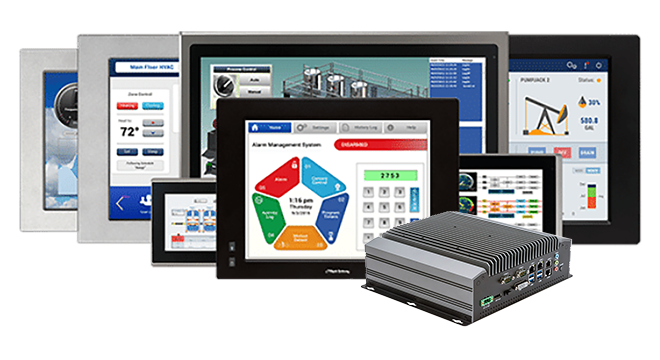
When you order the IPC2360A the following items are included in the box:
- IPC2360A Box PC unit
- Input Power Connector
- Warranty Statement
- GPIO Connector (with the purchase of expansion option)